Core capability
Qlik writeback and workflows with RaptorMCP
The RaptorMCP Gateway adds governed writeback and workflows to Qlik. Users and agents can capture decisions, updates, planning inputs, approvals, comments and scenarios directly from Qlik, while control, auditability, permissions and database ownership stay in the Gateway layer.
What it includes
Governed writeback actions
Users can update records, submit notes, save scenarios, capture planning changes and submit workflow decisions from Qlik extensions.
Gateway-managed database writeback
The Gateway connects to a database, manages approved writeback tables and supports both agent-managed and admin-selected table models.
Partial reload support
Writeback extensions can trigger partial reloads so Qlik refreshes only new or changed writeback data instead of a full app reload.
InsightOps notifications
Workflow events can send notifications through configured InsightOps channels, including Telegram, so approvers and owners know when action is needed.
Admin configuration in Raptor Admin
Admins configure writeback targets, actions, workflows, monitoring rules and database access from the admin extension.
Audit and traceability
Each writeback and workflow action records who acted, what changed, when, the context used and the outcome.
Approvals and workflows
Workflows manage approval states, review steps, sign-offs, reminders, escalation paths and decision history. Workflow definitions can be kept in the enterprise knowledge base with version history.
- Step 1
Capture
A user or agent submits data, a comment, a plan or a scenario from Qlik.
- Step 2
Validate
The input is checked against the approved target and its rules before anything is written.
- Step 3
Approve
Configured approvers review and sign off. Reminders and escalations follow the workflow definition.
- Step 4
Record
The decision, the change and its context are stored, and a partial reload can bring it into Qlik.
Writing to a target needs the user's own authority for that target. Raptor workflow configuration is separate from native Qlik Cloud Automation, which requires the applicable Qlik entitlement.
Examples in action
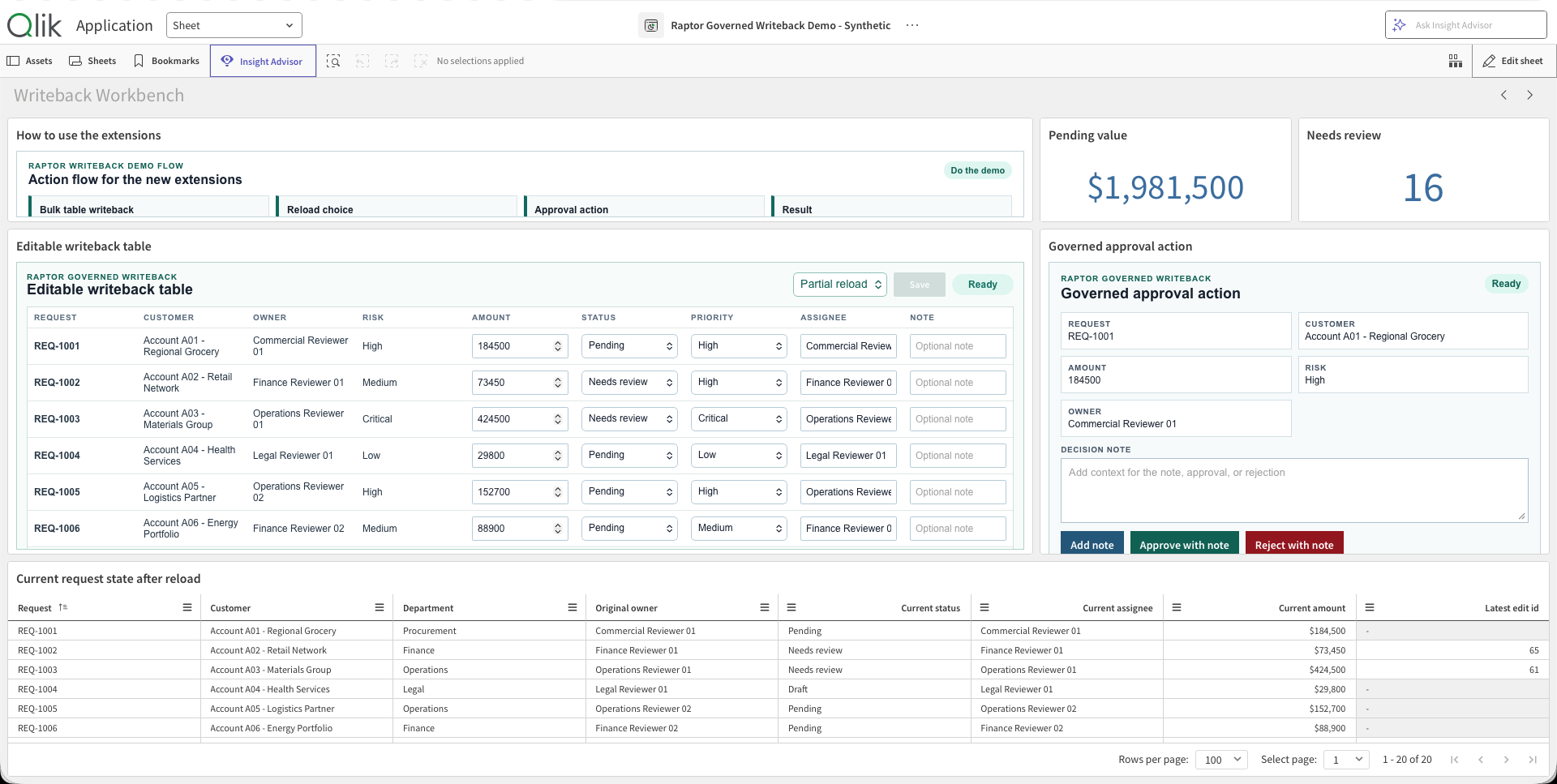
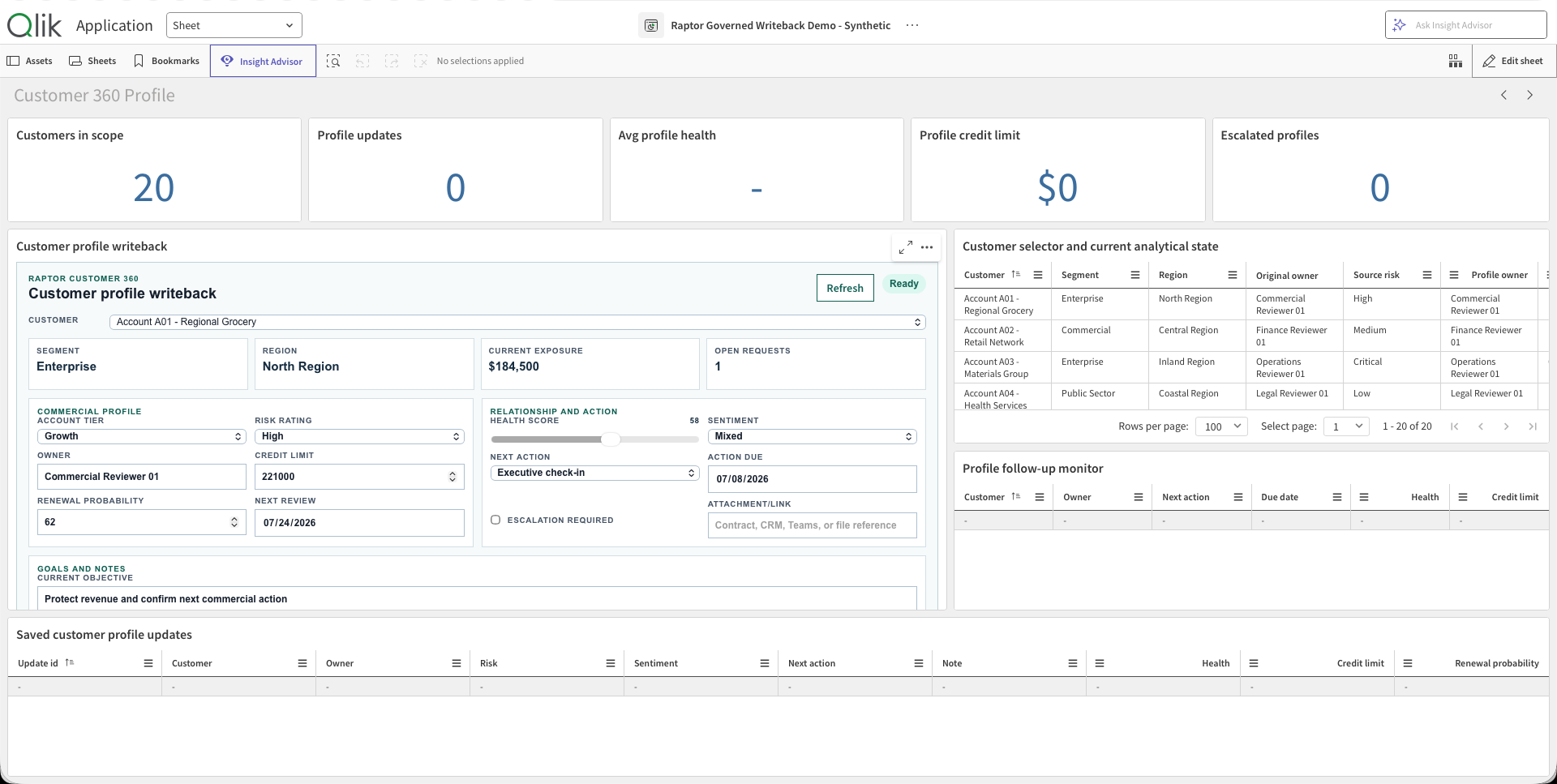
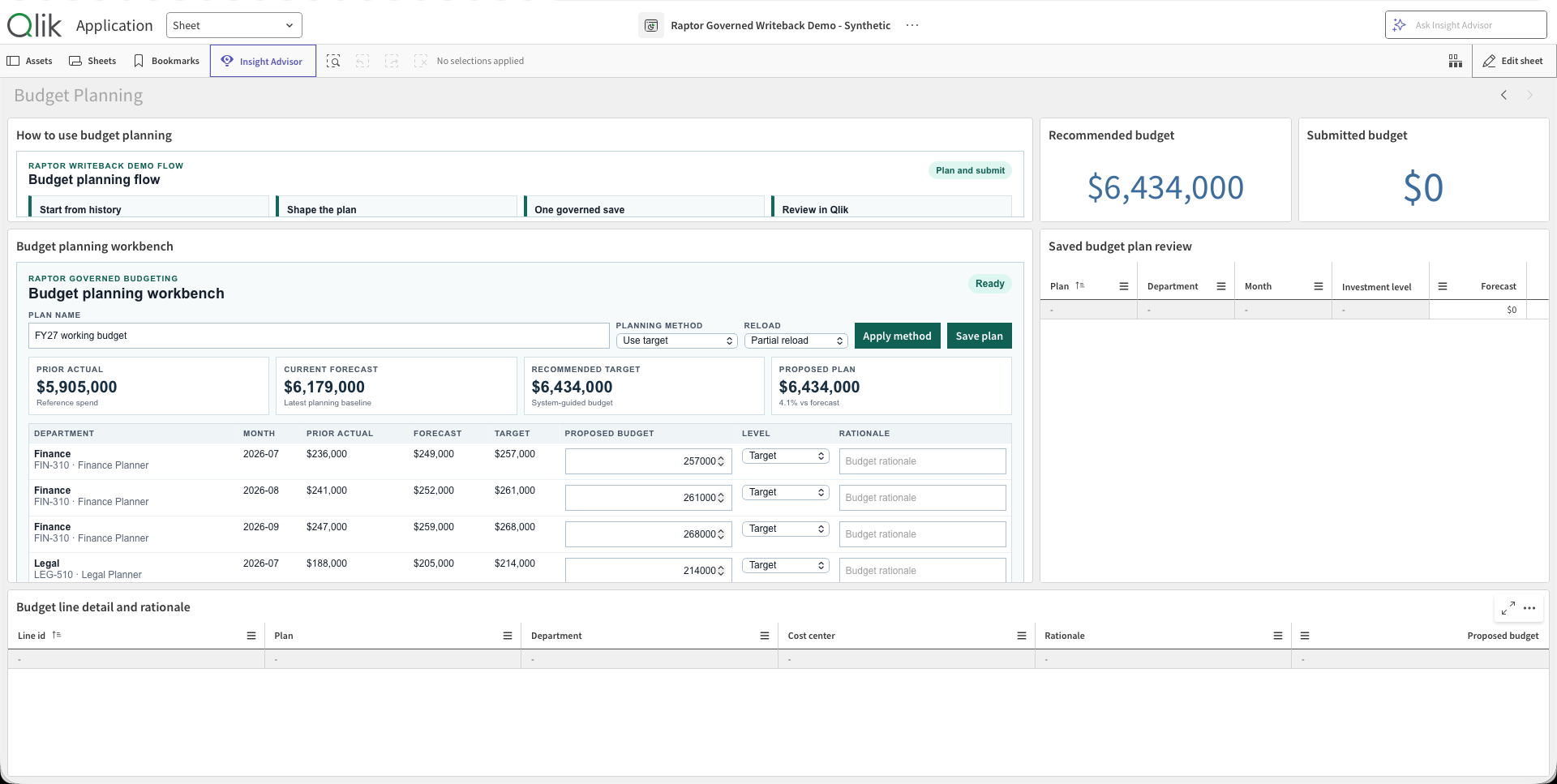
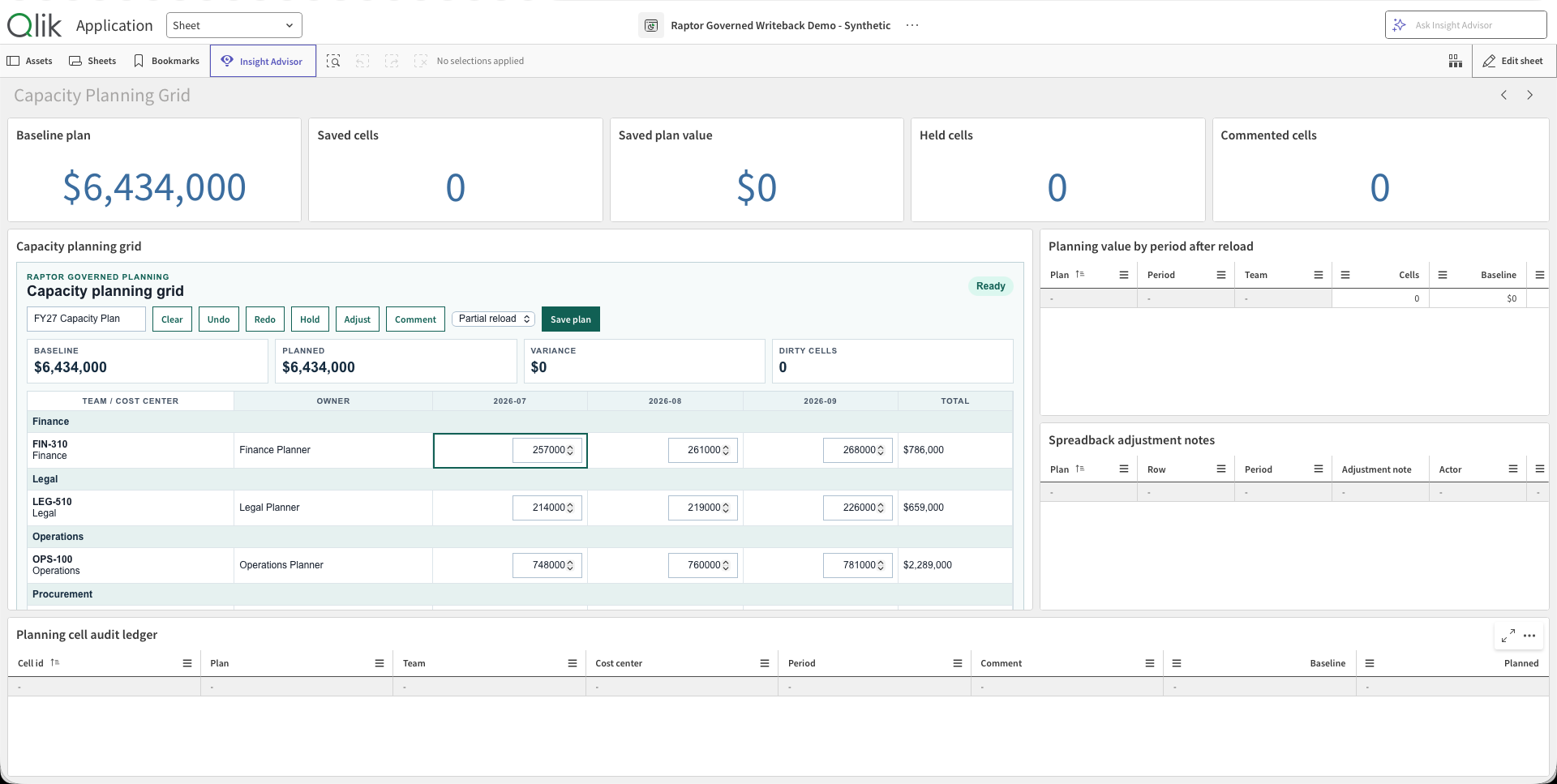
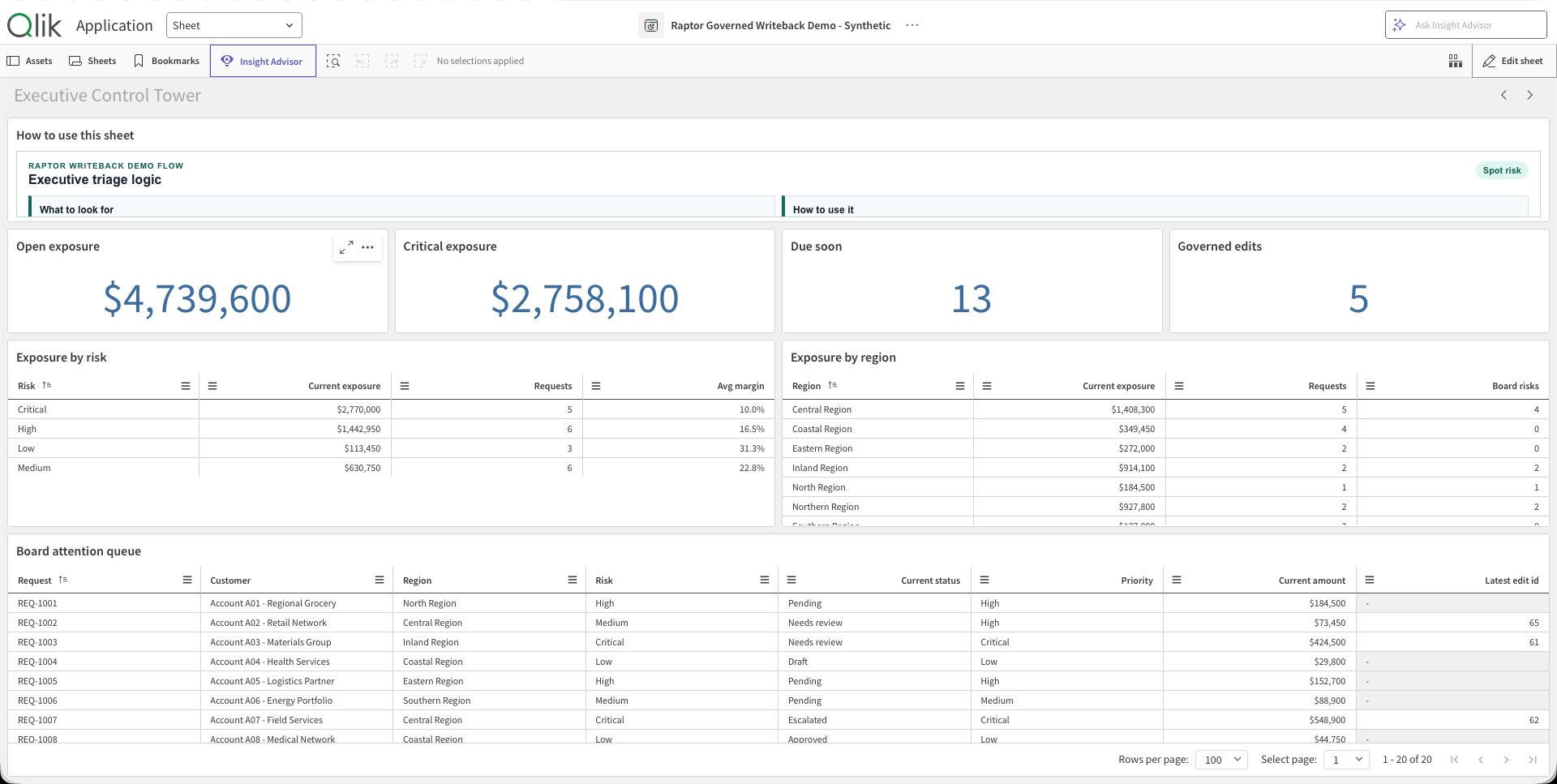
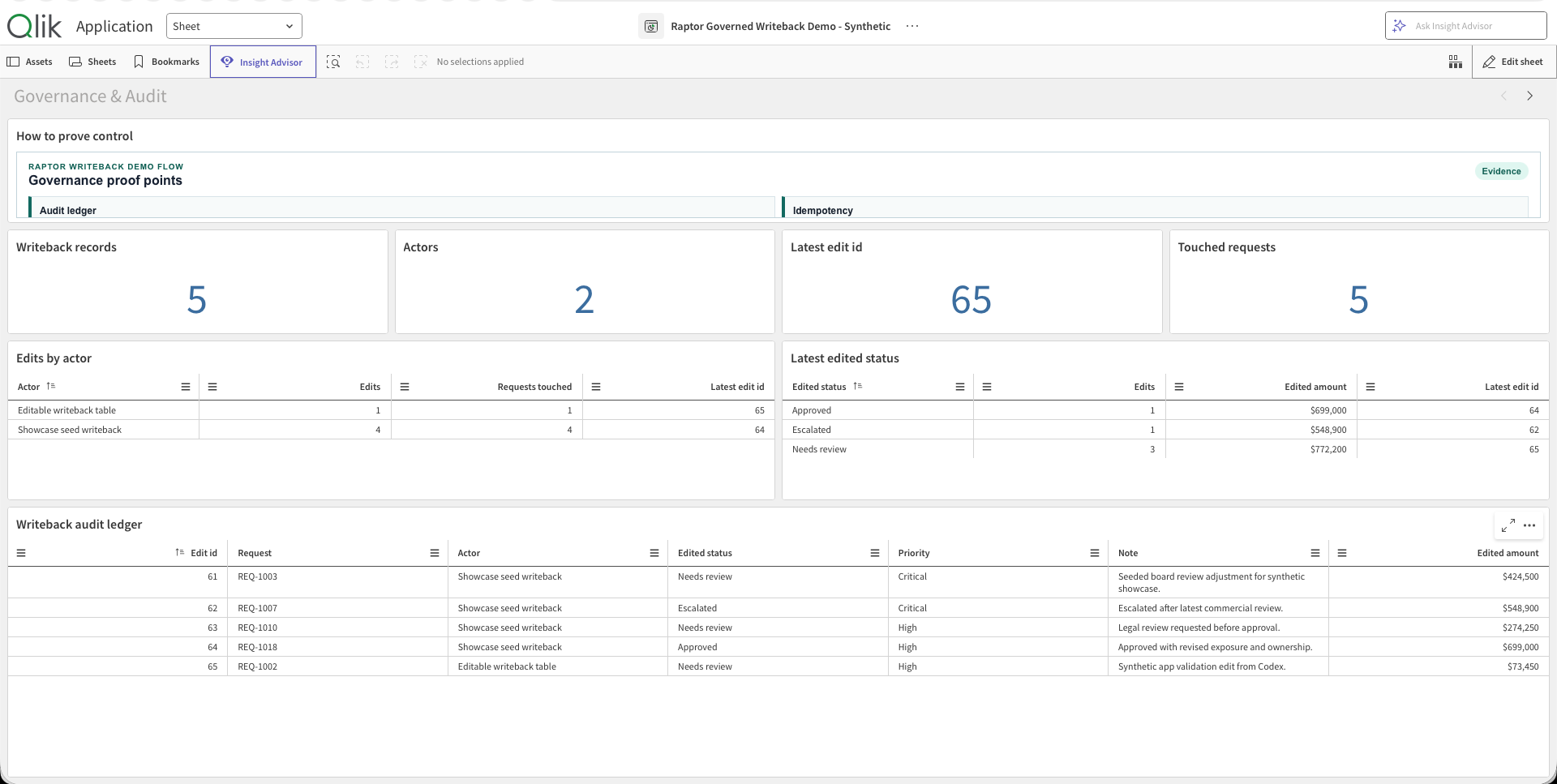
In short, Qlik becomes an operational interface as well as an analytics one: users and agents can act on insights, update business data, run approvals and trigger notifications, with enterprise control and an audit trail.